

Our Picture Editing Programs:
- include animated picture editing samples;
- can be used as plug-ins in Adobe Photoshop and compatible photo editing programs;
- support 20 languages;
- run on Windows XP / Vista / 7 / 8 / 10, both 32-bit and 64-bit.


Brightness Guide - Improves Image Brightness.
Did flashlight illuminate only part of a photo? The Brightness Guide will illuminate the rest!
The program improves brightness of unevenly lightened photos, lighting dark areas while keeping light areas intact.
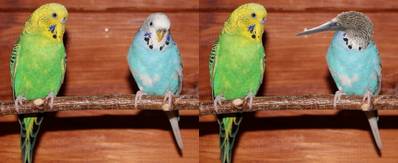

Picture Cutout Guide - Make a Collage of Pictures.
Were you photographed on an unsuccessful background? Move yourself to other place!
The software separates an object from its background, and stores it for later transfer to another photo; applies background effects, creates collages.


Image Resize Guide - Smart Image Resize and Shrink Pictures.
Excess people or objects got on a photo? Remove them by means of Image Resize Guide!
Resize an image by removing "unnecessary" portions yet keeping the "important" features intact. Remove objects from an image without visible traces.


Photo Montage Guide - Photomontage Software.
Combines tools from Image Resize Guide and Picture Cutout Guide and includes demo samples from both the programs.
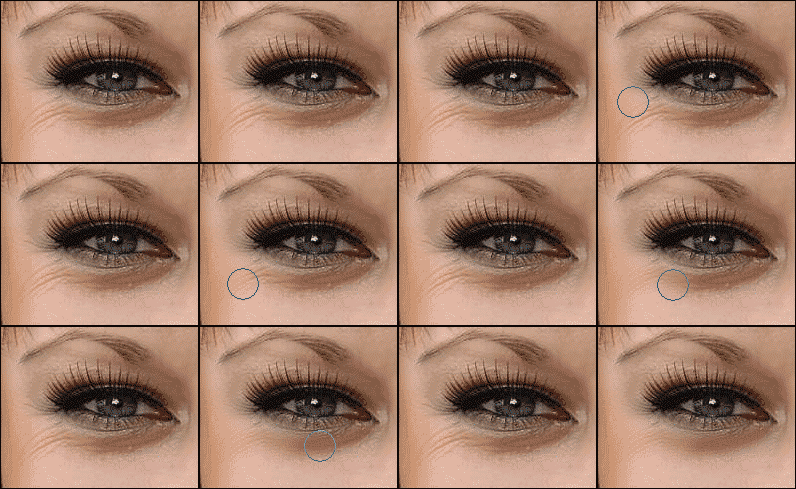

Cosmetic Guide - Virtual Cosmetic Photo Editor.
Are you unhappy with wrinkles, expression lines, edemas, a large birthmark or a blemish?
The program will help you to retouch skin, smooth wrinkles, reduce swelling, accentuate the eyes, delete birthmarks, perform rhinoplasty, and bleach teeth.
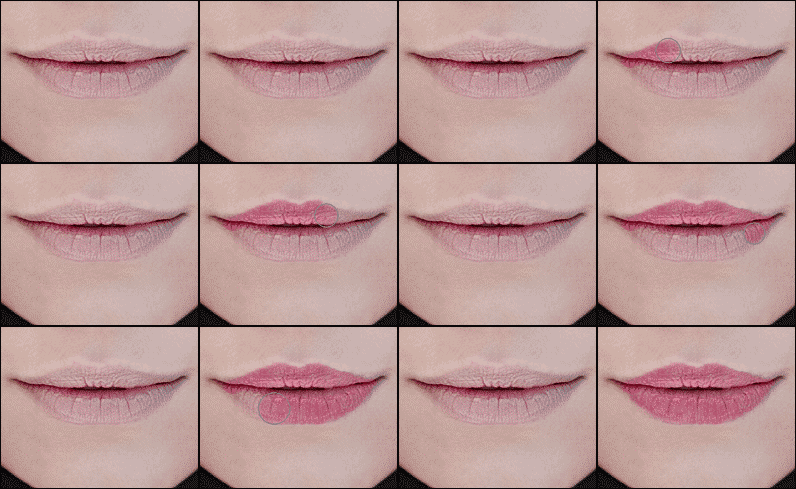

Makeup Guide - Virtual Makeup Photo Editor.
Did you forget to tint the lips or eyelids? You're not pleased with the eye color?
Makeup Guide will help you to apply lipstick, rouge, eye shadow, and powder; line eyelids; change eye color. You can do all of this right on the photo!


Beauty Guide - Portrait Editing Software.
The software combines tools from Makeup Guide and Cosmetic Guide and includes animated demo samples of photo editing from both the programs.
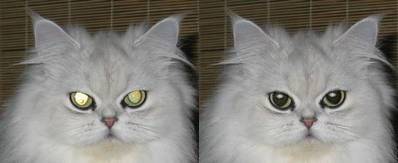

Pet Eye Fix Guide - Red Eye Remover on Pet's Photos.
Were eyes light-struck by flashlight on a photo? You will be helped by Pet Eye Fix Guide!
The software corrects any color (red, blue, green, yellow, white) of shining eyes on your pet's photos. Also can be used for human red eye editing.